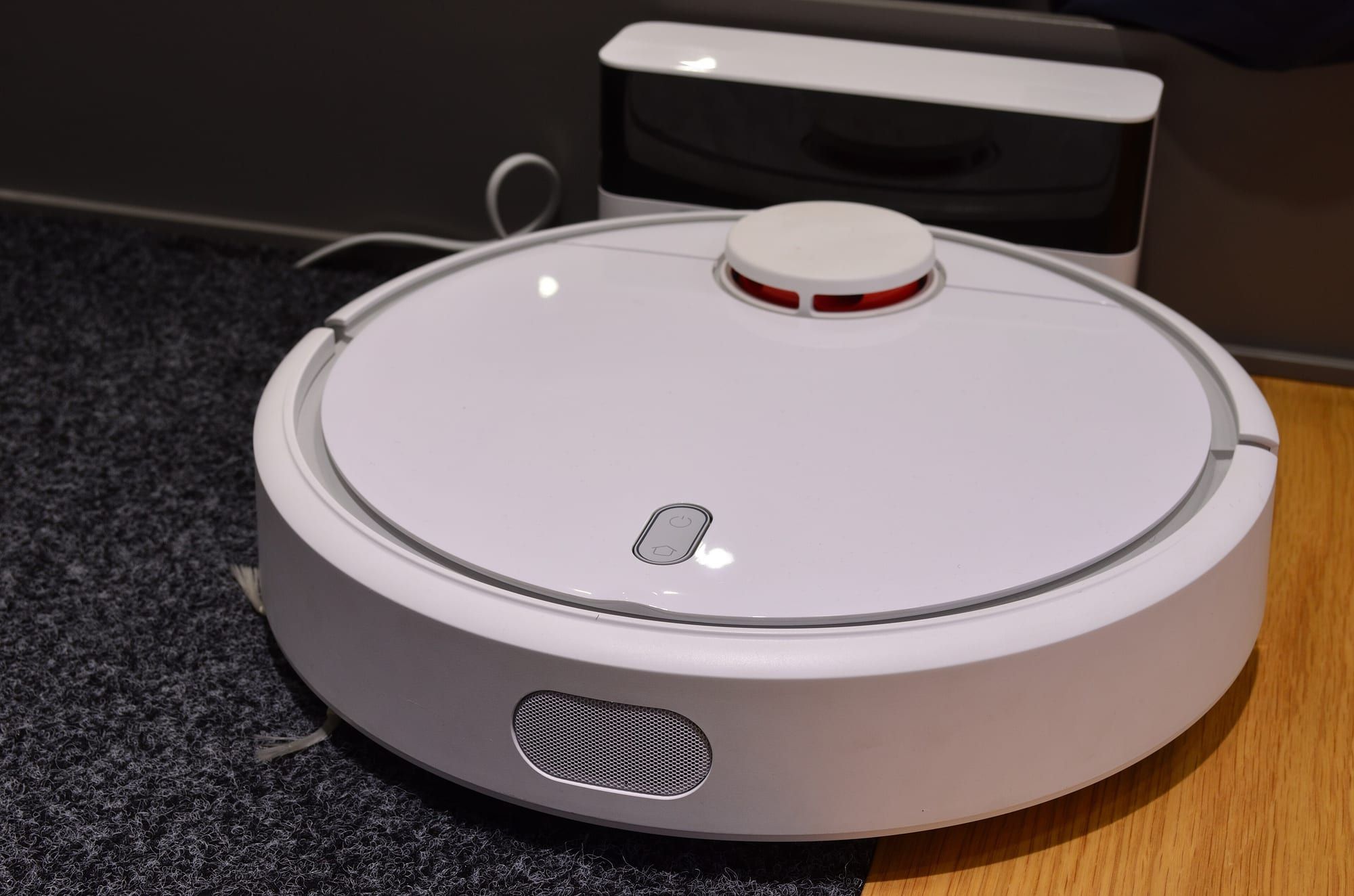
The best robot vacuum for most buyers who want everything is the Roborock Saros 20, a $1,599.99 flagship with 36,000 Pa of suction, an arm that tackles edges and corners, and a dock that washes the mop in hot water. If you want a more elegant machine with strong mopping, look at the Eufy Omni S2. If your home has raised thresholds, the Dreame X60 Ultra is built for it. And if you simply want a robot that maps your home and empties itself, the Roborock Q7 M5+ delivers that for a fraction of the price.
Robot vacuums have split into two camps. Flagships now cost around $1,500 and automate almost everything, including washing and drying their own mops. At the other end, sub-$300 models offer proper mapping and self-emptying bins. The middle ground is thin, so decide which camp you are in before comparing models.
Our picks at a glance
| Robot vacuum | Best for | Price (US) | Suction | Dock | Standout feature |
|---|---|---|---|---|---|
| Roborock Saros 20 | Best overall | $1,599.99 | 36,000 Pa | Auto-empty, refill, hot-water mop wash and dry | FlexiArm for edges, AdaptiLift 3.0 |
| Eufy Omni S2 | Mopping and design | $1,599.99 list | 30,000 Pa | Wash, dry and disinfect station | Roller mop, no lidar turret |
| Dreame X60 Ultra | Raised thresholds | $1,499.99 regular | About 35,000 Pa | Self-emptying, self-washing | 3.47 in crossing height |
| Roborock Q7 M5+ | Budget | $249.99 sale ($429.99 regular) | 10,000 Pa | Auto-empty (2.7L bag) | LiDAR mapping |
Prices are those on manufacturers’ US stores in October 2026. Robot vacuum prices fluctuate a lot, and discounts of several hundred dollars are common.
Roborock Saros 20: Best overall
Roborock Saros 20
Roborock's flagship robot vacuum and mop with 36,000 Pa suction, a FlexiArm edge mop and a fully automated hot-water dock.
$1,599.99 list price on Roborock's US store (October 2026)
The Roborock Saros 20 is Roborock’s most capable machine to date. Its headline numbers are 36,000 Pa of suction and a 13 N mop pressure. More interesting is the hardware that gets it into places other robots miss. The FlexiArm is an extending arm that carries both a side brush and a mop to reach edges and corners, and AdaptiLift 3.0 raises the chassis to cross thresholds.
Roborock quotes carpet climbing up to 1.18 in and obstacle crossing for double-layer thresholds, and the robot can slip under furniture with 3.13 in of clearance. StarSight 2.0 handles navigation and obstacle avoidance. The dock empties the dust bin, refills the water tank, washes the mop with 212°F water and dries it with 131°F air, so the mop is not left damp and smelly.
It supports Matter for smart-home control and comes with a one-year warranty. The downside is the price, which puts it out of reach for many households.
Choose it if: you want the most hands-off, thorough clean and are willing to pay for it.
Eufy Omni S2: Best for mopping and design
Eufy Omni S2
Eufy's 2026 flagship robot vacuum and mop with a roller mop, an extending side brush and an all-in-one station that washes and dries the mop.
$1,599.99 list price on Eufy's US page; a category page showed $1,299.99 (October 2026)
Eufy launched the Eufy Omni S2 in March 2026. It cleans with 30,000 Pa of suction and a retractable roller mop with 15 N of pressure. Instead of a lidar tower, it navigates with a camera and 3D dToF sensing, which gives it a lower, cleaner profile. It crosses thresholds up to 42 mm, and a CornerRover arm reaches edges.
The station washes, dries and disinfects the mop. Expert Reviews described it as elegant and high performing, but very expensive. Eufy’s list price is $1,599.99 on its US page, although a category page showed a lower figure. A practical drawback is that detergent and other consumables must be bought from Eufy. It works with Alexa, Google Home and Matter.
Choose it if: you want strong mopping, a sleek look and a station that handles the dirty work.
Dreame X60 Ultra: Best for raised thresholds
Dreame X60 Ultra
Dreame's premium robot vacuum and mop with high suction, a liftable mop and a self-emptying, self-washing dock.
$1,499.99 regular price on Dreame's US store (October 2026)
The Dreame X60 Ultra is aimed at homes with awkward floors. It is listed at $1,499.99 on Dreame’s US store and has a 3.47 in crossing height, so it can climb over raised door tracks that stop many rivals. At the same time it is only 3.13 in tall, so it can reach under sofas and beds. Comparison sites quote suction of about 35,000 Pa.
It has a self-emptying, self-washing dock. Like other flagships, it is a fully featured but costly machine. Confirm the warranty terms for your region before buying.
Choose it if: your home has raised thresholds or a lot of furniture to navigate.
Roborock Q7 M5+: Best budget pick
Roborock Q7 M5+
A budget robot vacuum and mop with 10,000 Pa suction, LiDAR navigation and a self-emptying dock.
$249.99 on Roborock's US store, down from $429.99 (October 2026)
The Roborock Q7 M5+ is the model for people who do not want to spend four figures. On Roborock’s US store it costs $249.99, reduced from $429.99. For that you get 10,000 Pa of suction, PreciseSense LiDAR navigation and a 3,200 mAh battery, plus a dock with a 2.7L bag that Roborock says holds up to seven weeks of debris.
It handles obstacles up to 2 cm, uses 2.4GHz Wi-Fi only and has a one-year warranty. It does not wash its mop with hot water, and its mopping is a light wipe rather than a scrub. As a daily floor keeper, though, it ticks the important boxes.
Choose it if: you want proper mapping and an auto-empty dock without a flagship price.
Flagship or budget: what you actually gain
The gap between a $250 robot and a $1,500 one is large, so it helps to be clear about what the money buys.
| Budget (Roborock Q7 M5+) | Flagship (Saros 20, Omni S2, X60 Ultra) | |
|---|---|---|
| Suction | 10,000 Pa | 30,000 to 36,000 Pa |
| Mopping | Light damp wipe | Pressure-applied mop, washed and dried by the dock |
| Edges and corners | Standard side brush | Extending arm or edge-reaching mop |
| Thresholds | Up to 2 cm | About 1.6 in (Omni S2) to 3.5 in (Saros 20, X60 Ultra) |
| Dock | Empties the bin | Empties, refills, washes and dries |
| Typical price | Around $250 on sale | Around $1,500 to $1,600 |
For a small flat with hard floors, the budget model does most of what you need. For a family home with pets, mixed flooring and sticky spills, the flagship docks remove a great deal of manual upkeep.
Setting up a robot vacuum
Getting good results is as much about preparation as hardware.
- Clear the floor. Cables, socks and toys are the most common causes of jams. Even models with obstacle avoidance do better on a tidy floor.
- Run a first mapping pass. Let the robot explore uninterrupted, then divide the map into rooms in the app.
- Set no-go zones. Block off pet bowls, loose rugs and charging cables.
- Schedule it for when you are out. Daily runs keep dust down and make each pass lighter.
- Place the dock well. Leave clearance on both sides and in front, and keep it near a power socket with good Wi-Fi.
Note
Hot-water mop stations need water refills and occasional descaling or tank cleaning, depending on your water hardness. Follow the manufacturer’s care instructions.
Maintenance that keeps them working
Robot vacuums stay effective only if you look after them. As a rule of thumb:
- Empty or check the dust bag when the app prompts you.
- Clear hair from the main brush and side brush regularly.
- Wipe the sensors and charging contacts.
- Wash or replace the filter and mop pads on the schedule the maker recommends.
- Check the dock’s wash tray for residue.
Skipping these steps is the most common reason for a robot that suddenly seems to stop cleaning well.
Common questions about floors and pets
Pet hair is where suction and brush design matter most. Rubber or hybrid main brushes tangle less than bristles, and flagships with high suction pull hair from carpet better than budget models. If you have pets that have accidents, look for a robot with camera-based obstacle recognition, which is designed to avoid waste rather than smear it. Always check the manufacturer’s stated capabilities, since this varies by model and software version.
Thick or shaggy rugs can defeat robots and tangle brushes. Low-pile carpet is fine for nearly every model on this list. Hard floors of wood, tile and laminate are the easiest surface, and are where the mopping systems earn their money.
What to look for
Tip
Measure your highest threshold and your lowest furniture before you shop. These two numbers rule out more robots than any spec.
Suction
Pascal ratings are a rough guide. Above about 10,000 Pa, most robots clean hard floors well. Carpet and pet hair benefit from higher numbers and good brush design.
Navigation
LiDAR is reliable in dim rooms, while camera systems such as Eufy’s recognise objects. Both generate maps you can divide into rooms in an app.
Mopping
Basic robots drag a damp pad. Flagships use spinning pads, rollers and hot-water washing. Check whether the mop lifts on carpet.
The dock
An auto-empty dock saves daily chores. A full station that also refills and washes is convenient but needs space and maintenance.
Ongoing costs
Bags, filters, brushes and cleaning solution add up. Check that parts are easy to buy and whether the brand ties you to its own consumables.
Privacy and smart home
Cameras and apps send data over your network. Review the app’s permissions and consider Matter support for a standardised smart-home connection.
Which should you buy?
- Money no object: the Roborock Saros 20.
- Best mopping and looks: the Eufy Omni S2.
- Raised thresholds: the Dreame X60 Ultra.
- Best value: the Roborock Q7 M5+.
How we chose
We compared official specifications and pricing as of October 2026, alongside the consensus of established independent reviews. We prioritised navigation, suction, mopping, docking convenience and price, and limited the list to models currently sold in the US.